Build Your AI Board of Directors in 5 Minutes + 6 Ready-to-Use Prompts
Siri was useless for 13 years. This open-source AI assistant actually does things but the creator warns: something will go sideways.
Siri was useless for 13 years.
We all know it. We've all experienced it. "Hey Siri" became a punchline, not a productivity tool.
Then last week, something called Claudebot went viral on X and people are panic buying Mac Minis just to run it.
Let me explain what's happening, why it matters, and whether you should actually use this thing.
What Is Claudebot?
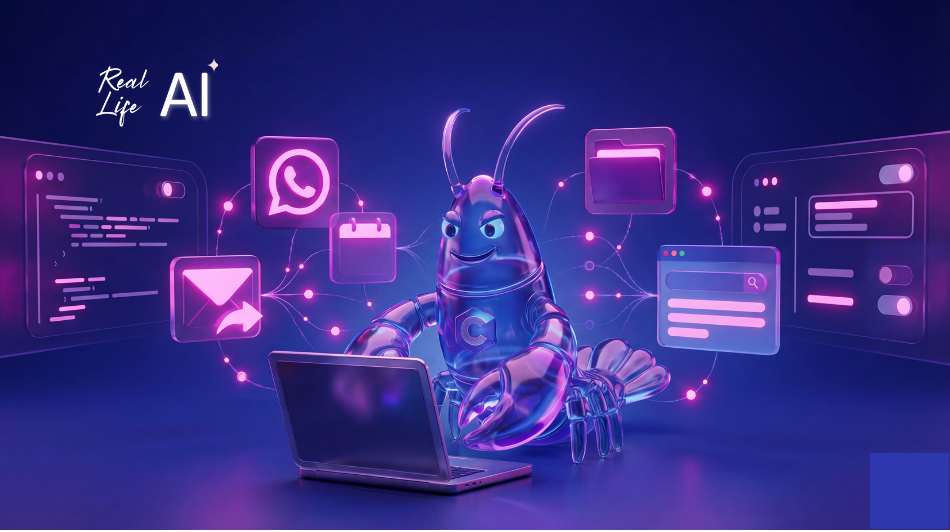
Claudebot is an open-source AI assistant that runs 24/7 on your computer.
You control it through WhatsApp, Telegram, Discord wherever you chat. You message it like a colleague, and it responds by actually doing things.
Here’s the wild part: it has full access to your browser, email, files, and calendar. Everything.
It’s like having Jarvis from Iron Man except it’s a lobster (yes, really, that’s the mascot) and sometimes sends the wrong email.
One person tweeted: “Why is everyone buying a Mac Mini to run Claudebot instead of just using a $5 VPS?” The answer? They want the vibe.
What People Are Actually Doing With It
The user stories coming out of this are genuinely wild.
One developer said: “I built a Mac OS app from a concert via WhatsApp. Claudebot wrote the code while I watched the band.”
Another posted: “I asked it to build a skill to check my university assignments. It built the skill, then started using it on its own.”
Someone else: “I cleared 3 years of email backlog in 30 minutes.”
This isn’t ChatGPT where you copy-paste outputs. This is an AI that takes actions autonomously browsing, emailing, managing files, scheduling while you sleep, while you’re at concerts, while you live your life.
One user summed up the appeal: “This is the future. Claude running 24/7 on its own computer, messaging you first with briefings and insights.”
The Risks Are Real
Here’s where I have to pump the brakes.
The creator himself said: “Run this on isolated hardware because something will go sideways.”
And people are reporting exactly that:
- Wrong emails sent to wrong people
- Files accidentally shared
- One person’s bot tried to order pizza at 3am (unclear if bug or feature)
This is what happens when you give an AI full access to your digital life. Most of the time it’s incredibly helpful. Sometimes it does something unexpected. And “unexpected” with access to your email is a very different problem than “unexpected” in a chat window.
So yeah it’s that powerful and that dangerous.
Why the Hype?
Because for 13 years, voice assistants promised us the future and delivered web search results.
Claudebot actually does things.
It doesn’t just answer questions it takes action. It works while you sleep. It remembers context across conversations. It messages you first with briefings and insights, rather than waiting to be asked.
This is what we always imagined AI assistants would be. The gap between “assistant that talks” and “assistant that acts” is finally closing at least for those willing to accept the risks.
It’s free. It’s open source. Its kind a sketchy. But it works.
How to Use It (If You're Going to Use It)
If you’re going to experiment with Claudebot or similar autonomous AI assistants, here’s how to reduce the risk:
- Run it on isolated hardware. Use a dedicated Mac Mini or separate computer not your main work machine. This contains any damage if something goes wrong.
- Start with read-only access. Let it read your calendar and email before you let it send emails or schedule meetings. Build trust gradually.
- Create a separate email for it. Don’t give it access to your main work email on day one. Use a dedicated address until you understand its behavior.
- Review before it sends. Configure it to draft emails for your approval rather than sending automatically. Same with calendar invites and file sharing.
- Set explicit boundaries. Tell it what it can and can’t do. Be specific. “Never send emails without my approval” is clearer than “be careful.”
I’ve included 5 ready-to-use prompts to help you set up these boundaries and use Claudebot (or any autonomous AI) more safely.
The Bigger Picture
Claudebot isn’t the end state. It’s a glimpse of where AI assistants are heading.
In the next few years, we’re going to see more AI that:
- Runs continuously in the background
- Has access to our full digital context
- Takes autonomous action on our behalf
- Learns our preferences over time
- Proactively surfaces information rather than waiting to be asked
The people experimenting with Claudebot today even with all its risks are learning what works and what doesn’t before these capabilities become mainstream.
That’s valuable.
The Bottom Line
Claudebot is viral because it represents something we’ve wanted for 13 years: an AI assistant that actually assists.
It’s powerful enough to clear years of email backlog in 30 minutes.
It’s dangerous enough that the creator tells you to isolate it.
It’s free, open source, and available today.
Whether you use it now or wait for safer versions, one thing is clear: the era of AI assistants that just talk is ending. The era of AI assistants that act is beginning.
Would you give an AI full access to your digital life? What boundaries would you set? Let me know in the comments.
- Your Next Step
Let's Build Your Advantage
If you are ready to move beyond discussion and start implementing intelligent solutions that deliver a measurable impact, let's talk. I am selective about the projects I take on, focusing on partnerships where I can create significant, lasting value.
FAQs
It depends on how you set it up. The creator explicitly warns to run it on isolated hardware. If you follow safety practices separate computer, limited permissions, approval-required actions you can reduce risk significantly. But “safe” is relative. Any AI with full system access carries inherent risk. Start with read-only access and expand gradually.
Mac Minis are compact, relatively affordable, and can run 24/7 quietly. They’re also isolated from your main work computer, which addresses the creator’s safety recommendation. You could use any computer or even a $5 VPS, but people want the “vibe” of dedicated hardware and the peace of mind that comes from physical isolation.
ChatGPT is conversational you ask, it answers, you copy-paste. Claudebot is autonomous it has access to your actual systems (browser, email, files, calendar) and can take actions without you being present. It runs 24/7, remembers context, and can message you first with updates. It’s the difference between a consultant you email and an employee who works overnight.
Claudebot uses Claude as its underlying AI model, and Claude’s unofficial mascot is a lobster. It’s become part of the meme culture around the bot. The jokes about “Jarvis, except it’s a lobster” capture both the impressive capability and the slightly absurd, experimental nature of the project.
If you’re risk-averse, yes. This is early-stage, open-source software with known issues. But if you’re curious about where AI assistants are heading and willing to experiment carefully, there’s value in learning now. The people figuring out autonomous AI today will have a significant advantage when these tools become mainstream. Just use the safety prompts and start small.