Grok Is Tagging Your Videos — And You Have No Idea (+ 8 Free Prompts to Protect Your AI Privacy)
Every video you create with Grok Imagine carries a hidden signature. Here's how it tracks you — and how to stop it.
You made a video with Grok Imagine.
You uploaded it to X. Maybe Facebook. Maybe TikTok.
You thought it was anonymous. Just another AI-generated clip in the feed.
But here's what you didn't know:
Grok embedded a hidden signature inside that video file. Your Imagine user ID. Buried in the metadata.
And anyone who downloads your video can trace it back to you.
How the Hidden Signature Works
A Reddit user recently discovered this.
They downloaded someone else’s Grok video. Re-uploaded it to their own X account. And X automatically generated a link — pointing straight back to the original creator’s Imagine account.
The hidden signature contains:
- Your Grok Imagine user ID
- A hash of the original video
- Metadata that survives across platforms
When they removed the signature and re-uploaded? No link. No trace. The signature is the tracker.
Why This Matters
Think about what this means.
You post a Grok video on Twitter under your real name. You post another on a throwaway Reddit account. You post a third on Facebook under a nickname.
If none of those platforms strip metadata — and most don’t — all three accounts are now linked.
One identity. Exposed.
For anyone who values anonymity, separate personas, or just basic privacy — this is a problem.

The Bigger Picture
This isn’t just about Grok.
It’s a reminder that AI tools aren’t free. When you don’t pay with money, you often pay with data — and you’re rarely told how.
Grok didn’t announce this tracking feature. There’s no pop-up warning. No opt-out. It just happens.
And if Grok does it, assume others do too.
Every AI image generator. Every AI video tool. Every “free” creative platform.
The question isn’t whether they’re collecting data. It’s what data — and where it travels.
How to Protect Yourself
Here’s what you can do right now:
- Check metadata before uploading
On Windows: Right-click → Properties → Details. On Mac: Use ExifTool or similar.
- Remove metadata before sharing
Windows: Properties → Details → “Remove Properties and Personal Information.” Mac: ExifTool command: exiftool -all= filename.mp4
- Assume every AI tool embeds data
Treat AI-generated content like it has a fingerprint. Because it probably does.
- Audit your AI tools regularly
Ask directly: “What data do you embed in outputs? What metadata is attached to files I create?”
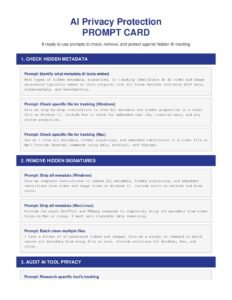
Free Prompt Card: Protect Your AI Privacy
I created a prompt card with 8 ready-to-use prompts to help you:
- Check what metadata exists in your AI files
- Remove hidden signatures before uploading
- Audit any AI tool’s privacy practices
- Build a personal privacy checklist
Copy, paste, protect yourself.
- Your Next Step
Let's Build Your Advantage
If you are ready to move beyond discussion and start implementing intelligent solutions that deliver a measurable impact, let's talk. I am selective about the projects I take on, focusing on partnerships where I can create significant, lasting value.
FAQs
Grok Imagine embeds your user ID and a hash of the original video in the file’s metadata. This signature allows the video to be traced back to your Grok account, even after you upload it elsewhere.
Currently, there’s no opt-out option within Grok. The only way to prevent tracking is to manually remove the metadata from your video files before uploading them to any platform.
Many AI tools embed some form of metadata or watermarking in their outputs. The specifics vary, but it’s safest to assume any AI-generated content may contain hidden identifiers. Always check and clean files before sharing.
Some platforms strip certain metadata, but many don’t remove all of it. X (Twitter) specifically uses Grok’s signature to generate links back to the original creator. Don’t rely on platforms to protect your privacy.
On iPhone, apps like “Metapho” or “Exif Metadata” can view and remove metadata. On Android, apps like “Photo Exif Editor” work similarly. For videos, you may need to transfer to a computer for thorough cleaning.